
The terminal, and the commands that matter
Jem Young4 min
tl;dr
The terminal is a window; the shell is what actually talks to the operating system. Ten commands cover most of the work, one has no undo, and `man` is how you look up the rest.
The terminal is not the shell
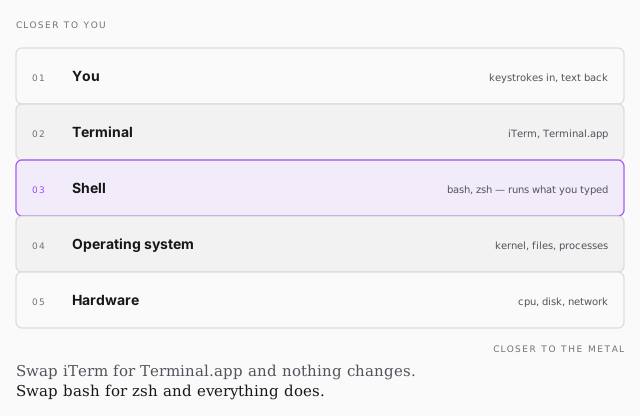
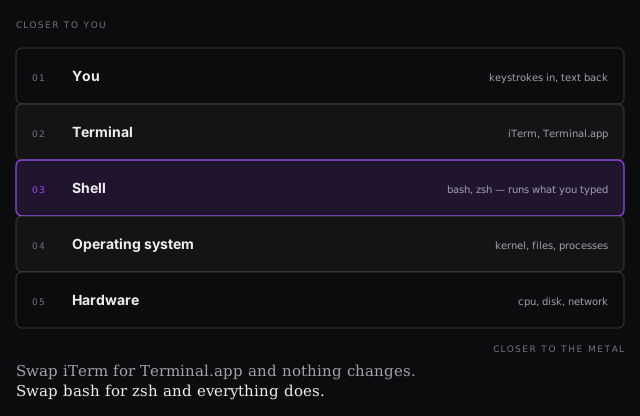
The terminal is an application — a window that draws text. iTerm2, Terminal.app: interchangeable, pick one.
The shell is what runs inside it. It reads what you typed and asks the operating system to do it. That one is a decision.
Why it's worth learning
- Fast — nothing sits between you and the operating system.
- Consistent, and portable — the commands on your laptop are the commands on the server you deploy to, and that mostly survives changing machines and operating systems.
- Low overhead — it waits, it runs, it stops. No background work.
The consistency is the real argument: everything else in this course happens on a machine you cannot click around on.
The commands
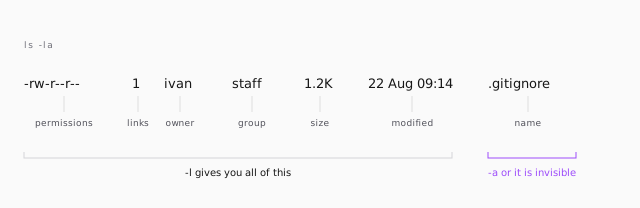
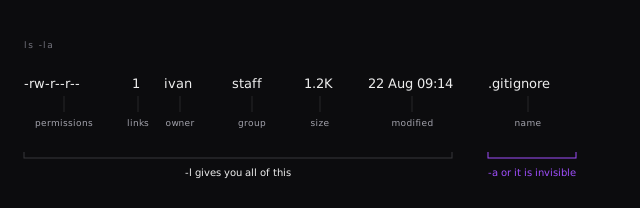
ls | list directory contents | ls -la is the one worth muscle memory |
cd | change directory | cd .. up, cd ~ home |
mkdir | make a directory | mkdir -p a/b/c builds the whole chain |
rmdir | remove a directory | refuses if it isn't empty |
cat | show file contents | fine for short files |
less | show file contents by page | what you want for long ones |
touch | create an empty file | not really — see below |
rm | remove a file | rm -rf is recursive and silent |
echo | repeat input | essential inside scripts |
man | the manual for a command | awkward to read, and it works offline |
The exercise
cd ~            # home
mkdir temp
cd temp
ls              # empty
touch hello
ls              # hello
cd ..
rm -rf temp
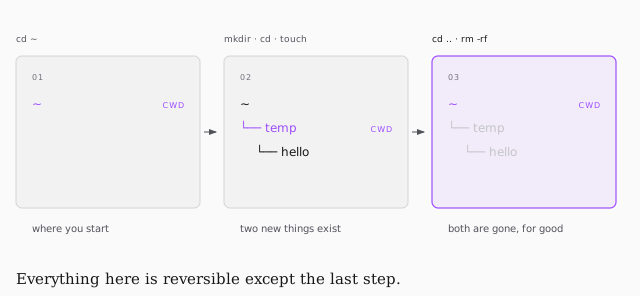
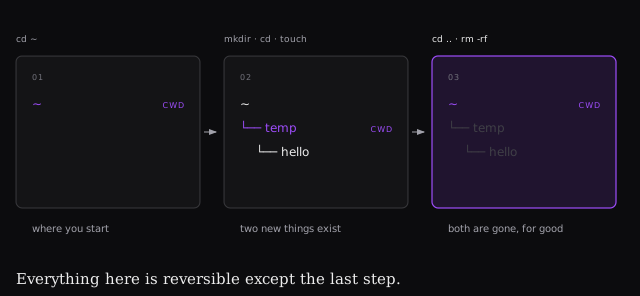
hello has no extension and no type — it is a blob of bytes with a name. That
is the whole story of a file here.
When you get lost
pwd— print working directory. The answer to "wait, where am I?"cd ~— home, and much faster than typing/Users/youcd ..— up one. Keep going and you land at/, the root of the filesystem. If you are there, you probably didn't mean to be.clear— wipe the screenctrl + c— kill whatever is running- Tab — autocompletes paths. Type one letter and hit it.
Three gotchas
touchdoesn't create files. It updates a file's modified time; when the file doesn't exist, the OS creates it first. Creation is a side effect.rmdirisn't the saferm. It only refuses on a non-empty directory, so you skip it and typerm -rfanyway. The safety has to come from you.manis searchable, andqgets you out. Type/then what you're after —/-rjumps to that flag. Nobody remembers every flag; knowing where to look is the actual skill.
On Windows, install WSL — same commands, forward slashes instead of back.